Assigning or Changing a Student's Courses
ASSIGNING OR CHANGING A STUDENT’S COURSES:
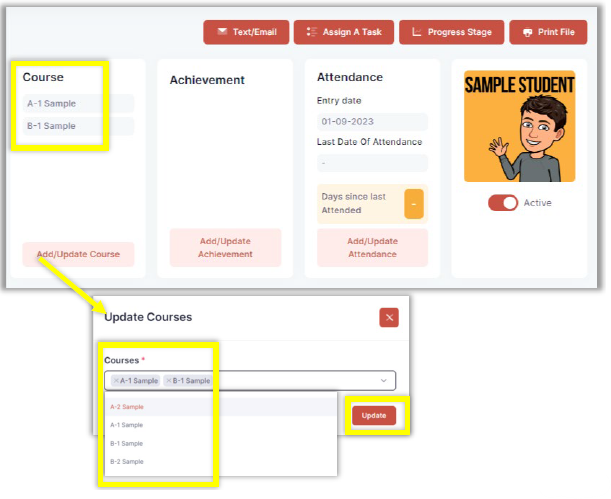
To assign or change a course for a student, click Add/Update Course under the Course section of the Student Details screen. Select the desired course from the dropdown options. Courses can also be removed by clicking the X next to the course you’d like to remove. Click the Update button to save changes. The course will then appear in the Course section of the Student Details screen.